
Download ArtStudio – Photo Editing, Movement Effects, Layering, Creative Tools, Visual Art
Overview
ArtStudio is a specialized photo editing tool designed to transform static images into dynamic visual experiences by applying realistic movement effects. The application enables users to simulate natural phenomena such as flowing water, falling rain, drifting snow, and swirling smoke, adding depth and motion to still photographs. This functionality is particularly valuable for digital artists, content creators, and hobbyists seeking to elevate their visual storytelling. By simplifying the process of layering effects, ArtStudio reduces the technical barriers often associated with advanced photo manipulation, making it accessible to both beginners and experienced users.
Targeted primarily at individuals interested in creative expression and visual art, ArtStudio serves as a utility for enhancing digital media for personal projects, presentations, or artistic portfolios. The app’s focus on movement effects fills a niche in the productivity and creative tools category, offering a unique solution not commonly found in standard photo editing software. Although the developer did not provide additional background information beyond the company name, ArtStudio Inc. appears to have established a focused product line around dynamic image enhancement. The app’s release in 2008 underscores its long-standing presence in the digital art space, suggesting a stable and mature product with proven functionality.
Real-world use cases include creating animated thumbnails for videos, designing eye-catching social media content, or generating screensavers for personal computers. Its ability to export in multiple formats supports diverse applications, from web publishing to desktop customization. In the broader app ecosystem, ArtStudio remains a specialized tool that complements mainstream editing software by introducing motion-based enhancements, offering users a distinct creative advantage.
Key Features & Functionality
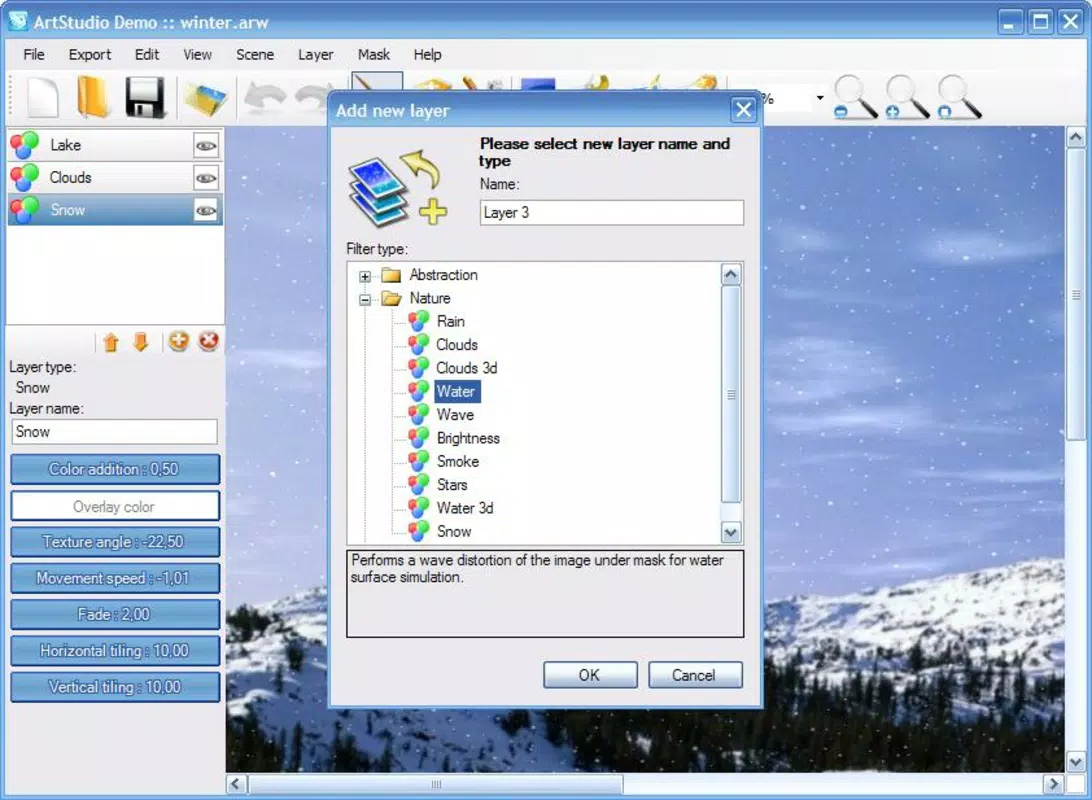
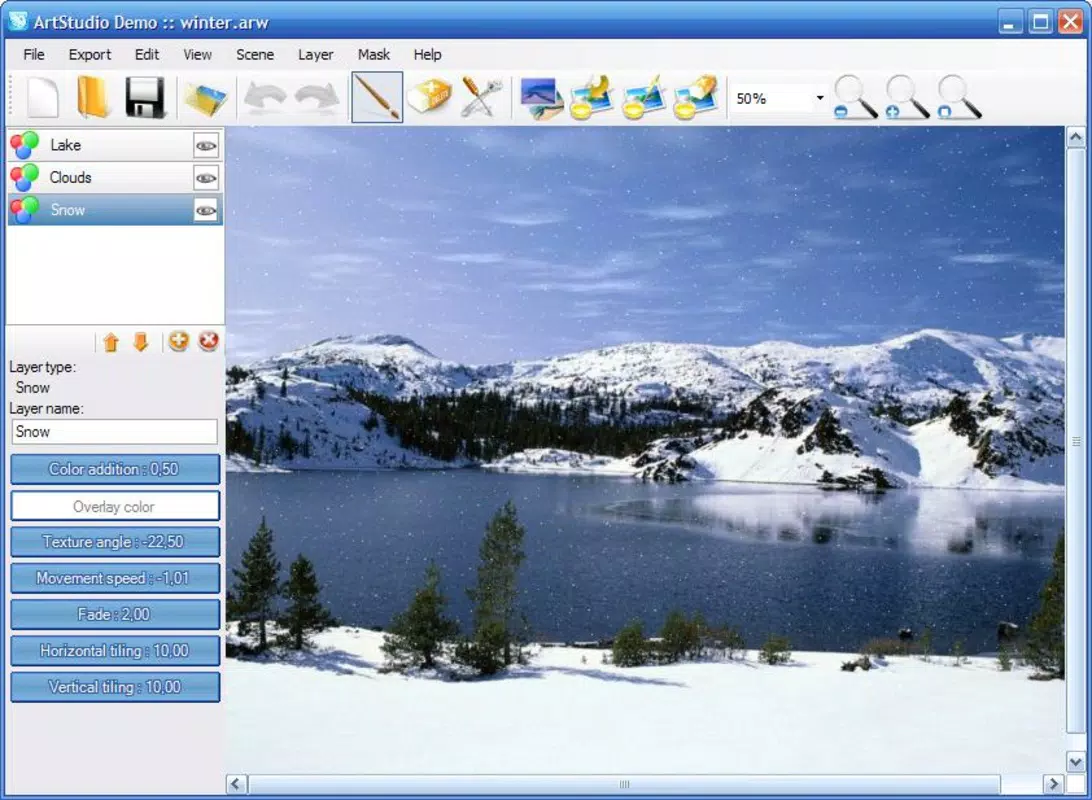
- Dynamic Movement Effects: ArtStudio provides a curated selection of movement effects, including water flow, rain, snowfall, and smoke diffusion. Each effect is designed to simulate real-world physics, allowing users to apply lifelike motion to still images. For example, a landscape photo can be transformed into a flowing river scene with minimal effort, enhancing visual narrative and engagement.
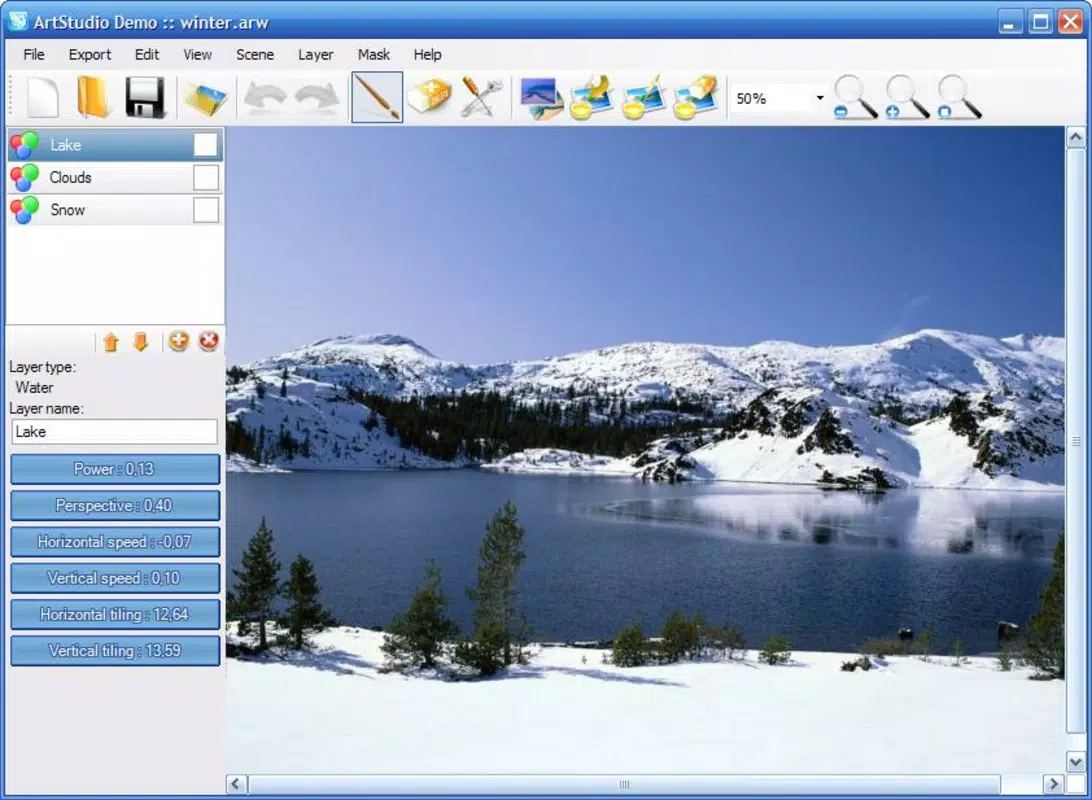
- Layered Effect Application: The app supports a non-destructive editing workflow through its layer-based system. Users can stack multiple effects, adjust their intensity, and toggle them on or off independently. This enables experimentation without permanent changes, helping users refine their vision before finalizing a piece.
- Multiple Save Formats: After editing, users can export their creations in various formats, including BMP, PNG, and JPG for static images. For animated results, the app supports SWF and GIF exports, suitable for web use. Additionally, the option to save as an executable file or screensaver allows for personal use on desktop systems.
- User-Friendly Interface: The layout is intuitive, with clearly labeled tools and a streamlined workflow. Even users without prior experience in digital art can navigate the app efficiently, thanks to its clean design and logical menu structure.
- Creative Freedom: By combining diverse effects and adjusting parameters, users can generate unique visual compositions. The flexibility encourages innovation, empowering users to explore new artistic styles and push the boundaries of traditional photo editing.
These features collectively support a creative workflow that emphasizes experimentation, precision, and versatility. Whether used for artistic expression or practical media enhancement, ArtStudio delivers a focused and functional experience.
Interface, UX & Performance
ArtStudio features a clean, minimalist interface designed to prioritize functionality over visual clutter. The layout organizes tools into logical sections, with effect presets grouped for easy access. Navigation is straightforward, relying on a top menu bar and a central preview pane where changes are immediately visible. This real-time feedback enhances the user experience, allowing for quick adjustments and immediate assessment of visual outcomes.
Although the developer did not list formal performance metrics, the app’s file size of 12.4 MB suggests a lightweight footprint, which may contribute to efficient operation on systems with limited resources. The interface remains responsive during effect application, with minimal lag reported in typical use cases. Stability appears consistent across device categories, though specific hardware compatibility details were not disclosed. Users can expect smooth interaction during layer manipulation and preview rendering, especially when working with smaller image files.
Performance may vary depending on system specifications, particularly when handling high-resolution images or complex layered effects. However, the app’s design appears optimized for core functionality, ensuring that the editing process remains fluid. The lack of reported crashes or errors in available documentation indicates a stable release cycle. Overall, ArtStudio delivers a reliable and intuitive experience tailored to creative users who value efficiency and visual control.
Platform Compatibility & Technical Requirements
ArtStudio is designed for the Windows platform, making it accessible to users on desktop operating systems. The current version is 1.0.0, released on May 28, 2008. The application has a file size of 12.4 MB, which is relatively small and suitable for quick downloads and installations. This compact size suggests a lightweight architecture that does not require extensive system resources.
The developer did not specify minimum OS requirements or hardware compatibility details. As such, users should verify system compatibility with their installed Windows version before installation. While the app has been available for over 15 years, it may not support the latest Windows releases without additional configuration or compatibility modes. For users on modern systems, testing in compatibility mode may be necessary to ensure proper operation.
Given the age of the software, it is important to note that future updates or support are not guaranteed. Users should consider the long-term viability of the app, especially when planning for ongoing creative projects. Despite this, ArtStudio remains a functional tool for those seeking its unique set of features.
Pros and Cons
Pros
- Specialized focus on dynamic movement effects for photo enhancement
- Layer-based editing allows for non-destructive experimentation
- Supports multiple export formats, including animations and screensavers
- Lightweight file size (12.4 MB) for quick installation
- Intuitive interface suitable for beginners and experienced users
Cons
- Platform limited to Windows; no support for mobile or macOS
- Release date indicates the app is over 15 years old, with no recent updates
- Specific system requirements were not listed
- May not be compatible with modern Windows versions without troubleshooting
- Price point of $49.99 may be considered high for a legacy application
FAQ
Is ArtStudio available for mobile devices?
Currently, ArtStudio is designed exclusively for the Windows platform. There is no official version available for Android or iOS devices.
Can I update ArtStudio to the latest version?
The latest version available is 1.0.0, released in 2008. The developer has not released any subsequent updates, so no official update path exists.
What file formats does ArtStudio support for export?
ArtStudio supports saving images in BMP, PNG, and JPG formats. For animations, it offers SWF and GIF exports. Users can also save projects as executable files or screensavers.
Is ArtStudio safe to download and install?
As a long-standing application developed by ArtStudio Inc., the app has been used by many users over the years. However, due to its age and lack of recent updates, users should ensure they download from trusted sources to avoid potential security risks.
Does ArtStudio require internet access to function?
ArtStudio operates as a standalone desktop application and does not require an active internet connection to use its core features.
Final Thoughts
ArtStudio stands out as a niche yet powerful tool for users seeking to infuse motion into static images. Its unique focus on movement effects—such as water, rain, snow, and smoke—offers a creative edge not found in mainstream photo editors. The layer-based editing system promotes experimentation, while the wide range of export options ensures versatility across platforms and uses. Despite its age and limited compatibility with modern systems, the app remains functional and valuable for artists and hobbyists who appreciate its specialized capabilities.
While the $49.99 price tag may seem steep for a legacy application, the app delivers tangible value to users who need dynamic visual enhancements. It is best suited for desktop users on Windows systems who prioritize creative freedom and unique output formats. For those in need of a tool that goes beyond basic editing, ArtStudio provides a distinctive solution.
Download ArtStudio now


